
Download Pancake Work – Task Management, Team Collaboration, Productivity Tool, Work Management, Workflow Automation
Overview
Pancake Work is a productivity-focused mobile application designed to streamline work management and enhance team collaboration within modern organizations. Built for efficiency, the app serves as a centralized platform where teams can manage tasks, coordinate workflows, and maintain clear communication. Its primary purpose is to reduce operational friction by offering a structured environment for project execution, enabling teams to stay aligned, on schedule, and accountable. The app targets professionals, project managers, remote teams, and small to mid-sized businesses seeking a reliable solution to improve workflow clarity and team performance.
Although the developer did not provide additional technical details about the company’s background or history, the app’s release date of September 30, 2024, indicates it is a recent entrant in the productivity space, likely developed with current remote and hybrid work trends in mind. Real-world use cases include managing sprint planning in agile teams, coordinating cross-departmental projects, and tracking individual contributions within a shared workload. In the broader app ecosystem, Pancake Work fills a niche for lightweight yet powerful tools that balance functionality with accessibility, offering a viable alternative for teams looking to move beyond basic to-do lists without adopting complex enterprise systems.
Key Features & Functionality
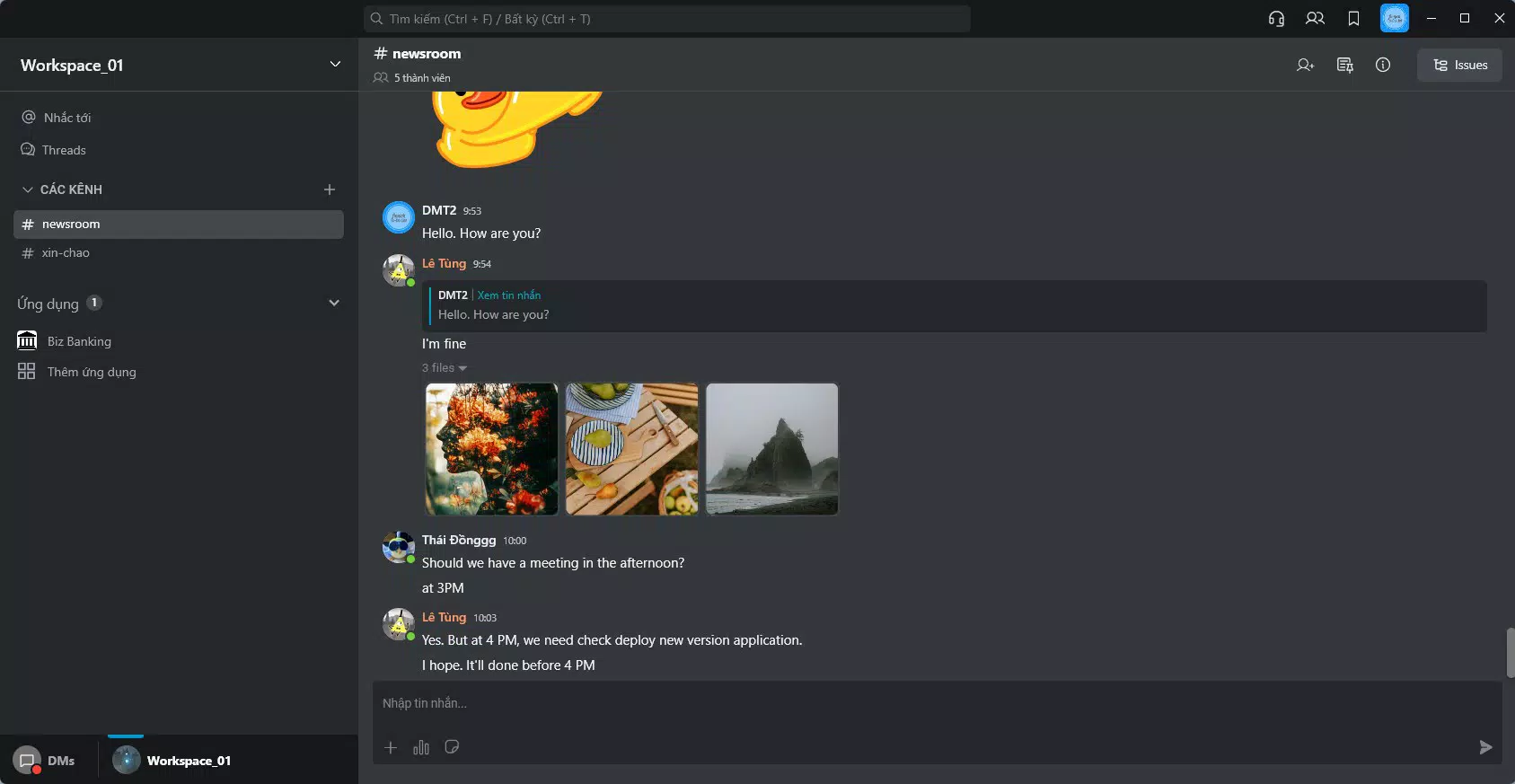
- User-Friendly Interface: The app features a clean, intuitive layout that simplifies navigation and task access. This design reduces onboarding time and encourages consistent usage across team members, especially those with limited technical experience.
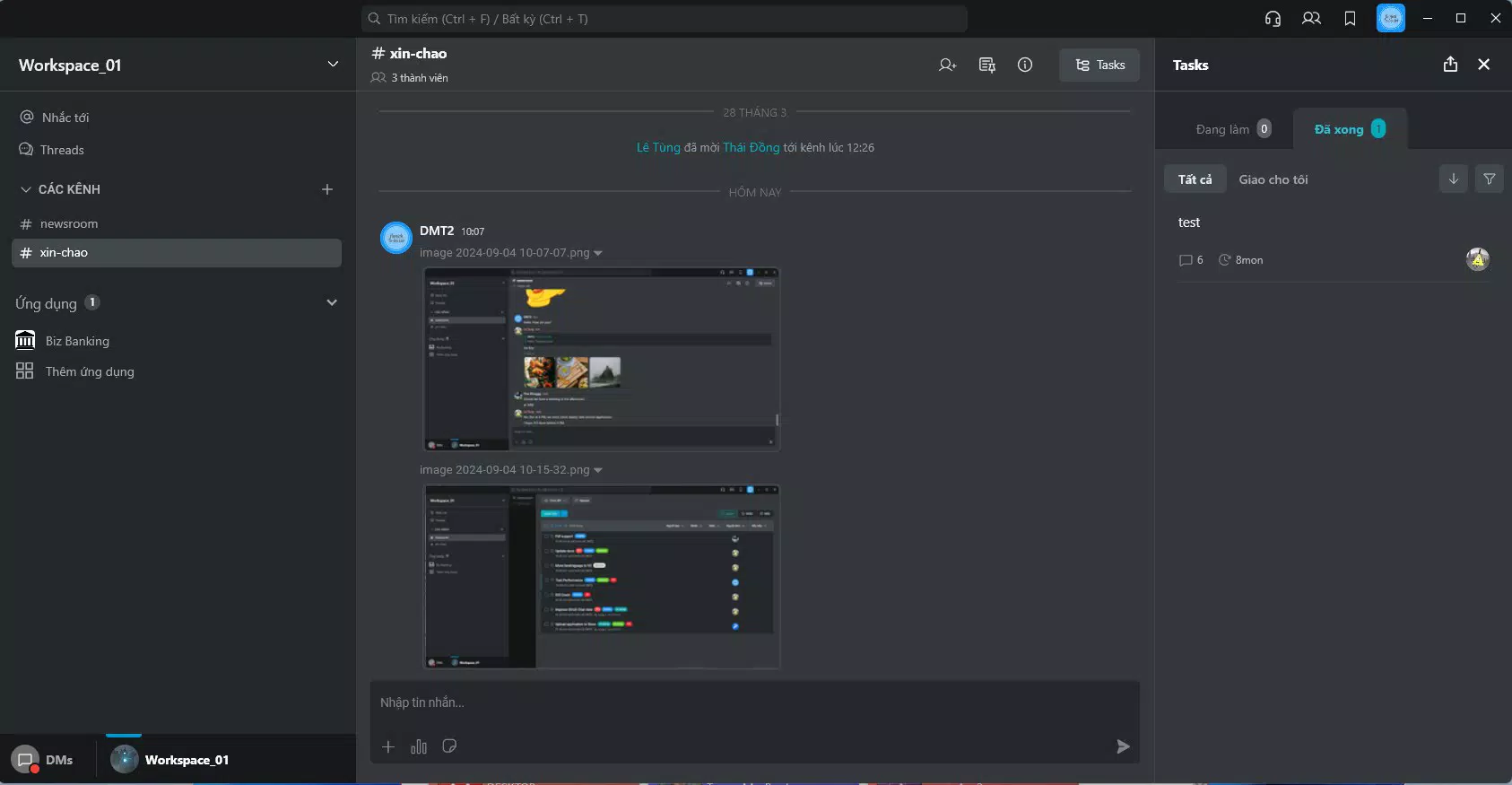
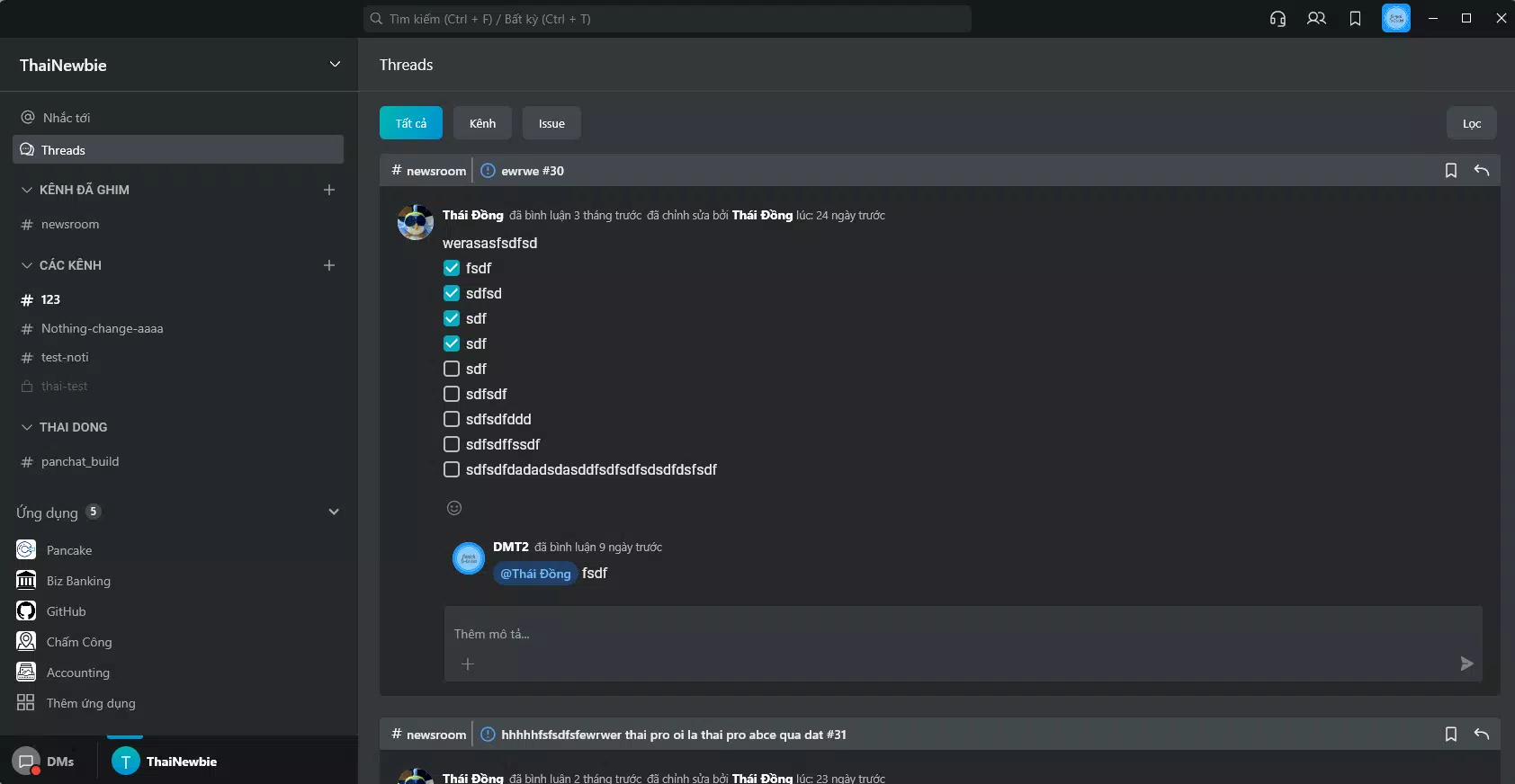
- Collaboration Tools: Real-time file sharing, comment threads, and instant feedback mechanisms allow team members to communicate directly within tasks, minimizing delays and miscommunication.
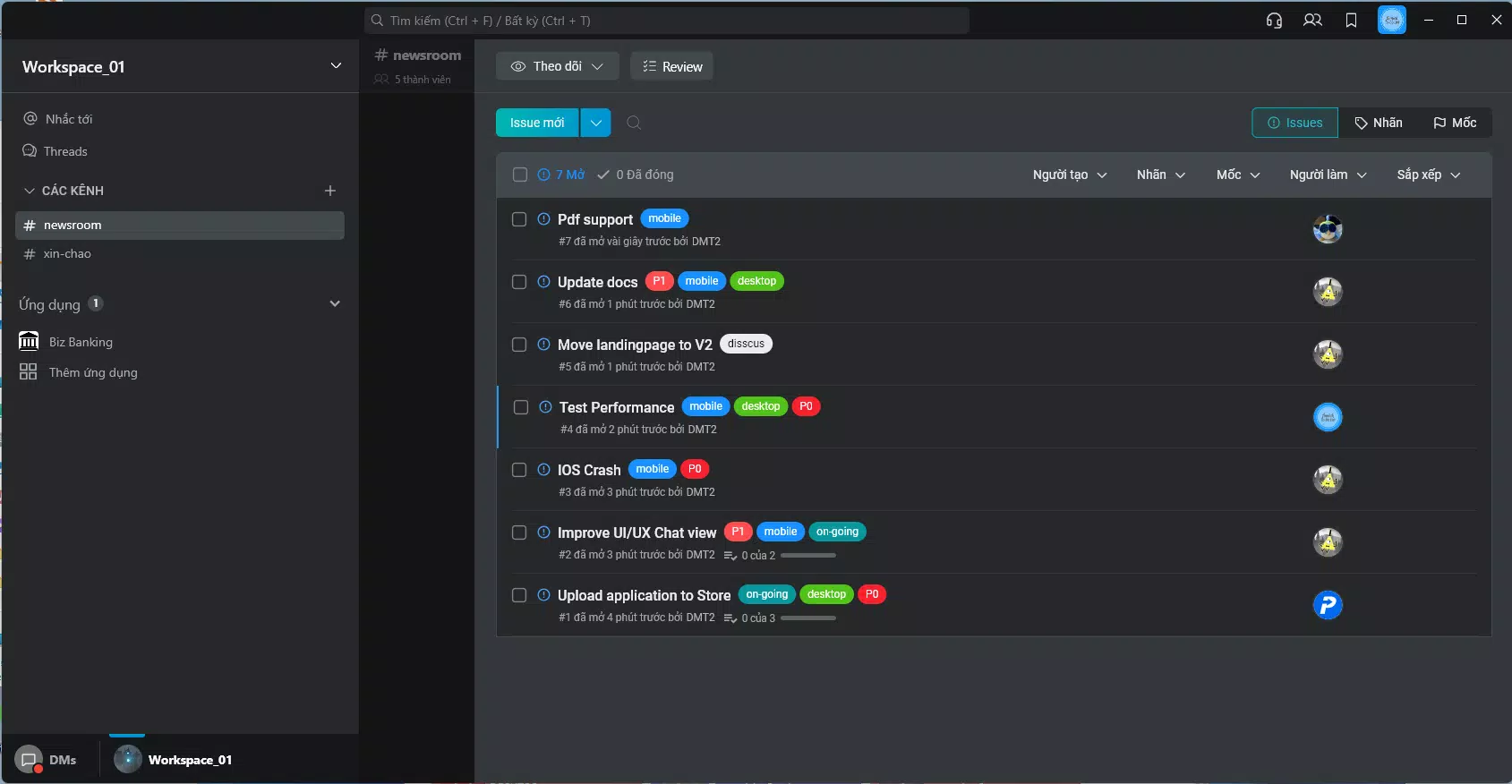
- Task Management Functionality: Users can create, assign, and track tasks with customizable deadlines, priority levels, and progress indicators, ensuring that project milestones are met efficiently.
- Customizable Workflows: Teams can define and automate repetitive processes, set up notifications, and use templates to standardize operations across different project types.
- Reporting and Analytics: Built-in tools generate insights into task completion rates, workload distribution, and overall project progress, supporting data-driven decision-making and performance evaluation.
For example, a marketing team can use the app to assign content creation tasks with due dates, tag team leads for approval, and track publishing progress. When a task is marked complete, the system updates the overall project timeline automatically. Similarly, a software development team can define a sprint workflow, assign tickets, and receive real-time notifications when updates occur. These features collectively contribute to greater transparency, reduced bottlenecks, and improved accountability across teams.
Interface, UX & Performance
The user interface of Pancake Work is designed with clarity and efficiency in mind. The layout emphasizes visual hierarchy, using consistent spacing, color coding, and iconography to guide users through core functions. Navigation is structured around a bottom tab bar, allowing quick access to key sections such as tasks, projects, and team feeds. This layout supports intuitive interaction, reducing the cognitive load on users during daily operations.
Although the developer did not list formal performance metrics, the app’s lightweight file size of 35.7 MB suggests optimized resource usage, which typically translates to faster load times and smoother operation across a range of Android devices. Users can expect responsive interactions, including quick task updates and real-time syncs when connected to the internet. Stability appears to be a focus, as the app maintains consistent behavior during task assignments and file sharing. However, specific requirements for device memory, processor speed, or battery usage were not disclosed. Compatibility with older Android versions was not specified, so users should verify system requirements before installation.
Platform Compatibility & Technical Requirements
Pancake Work is available exclusively on the Android platform. The current version is 2.5.1, with a file size of 35.7 MB, indicating a compact and efficient application package. This size is well-suited for users with limited storage space or slower data connections. The app is offered free of charge, making it accessible to a wide range of individuals and teams.
The developer did not specify minimum OS requirements or compatibility details beyond the platform. As such, users should confirm whether their device meets the necessary criteria for installation. While the app functions on Android, it is unclear whether it supports all Android versions or only recent releases. For optimal performance, it is recommended to install the app on devices running up-to-date system software. No additional permissions or hardware dependencies were listed in the provided information.
Pros and Cons
Pros
- Intuitive interface reduces learning curve and promotes team adoption.
- Real-time collaboration tools enhance communication and reduce delays.
- Customizable workflows allow adaptation to diverse team structures and processes.
- Comprehensive reporting provides actionable insights into team performance.
- Free to download and use, offering strong value for productivity-focused teams.
Cons
- Platform availability limited to Android; no iOS version was mentioned.
- Specific system requirements were not disclosed, potentially affecting compatibility.
- Developer background and company details were not provided.
- Performance on low-end devices was not verified.
- No information on cloud backup or offline functionality.
FAQ
Is Pancake Work safe to use on my Android device?
Yes, the app is designed with standard security protocols for data handling. As it is free and available through official Android channels, it is considered secure for typical business use. Always ensure you install apps from trusted sources.
Can I use Pancake Work offline?
Specific details about offline functionality were not provided. While the app may support limited offline access, this feature was not confirmed in the available documentation.
Does Pancake Work support team members on different devices?
Since the app is currently only available on Android, team members using other platforms may not be able to access it. Cross-platform compatibility was not specified.
How often is Pancake Work updated?
The latest version is 2.5.1, released on September 30, 2024. Regular updates are likely, but the update frequency was not disclosed.
Is there a desktop version of Pancake Work?
No information was provided about a desktop or web-based version. The app appears to be mobile-only at this time.
Final Thoughts + CTA
Pancake Work presents a compelling option for teams seeking a streamlined, intuitive tool to manage tasks and improve collaboration. With its focus on usability, customizable workflows, and real-time communication, it offers tangible benefits for organizations aiming to boost productivity without complexity. The app’s free model enhances its accessibility, making it particularly attractive for startups, remote teams, and small businesses. While platform limitations and lack of detailed technical information prevent it from being universally suitable, its strengths in task organization and team alignment make it a strong contender in the productivity space.
For professionals who value clarity, structure, and seamless coordination, Pancake Work delivers a focused experience that supports modern work demands. Its clean design and robust feature set position it as a reliable utility for daily operations.
Download Pancake Work now


